Product foundation · UX/UI pattern guide
Guided onboarding
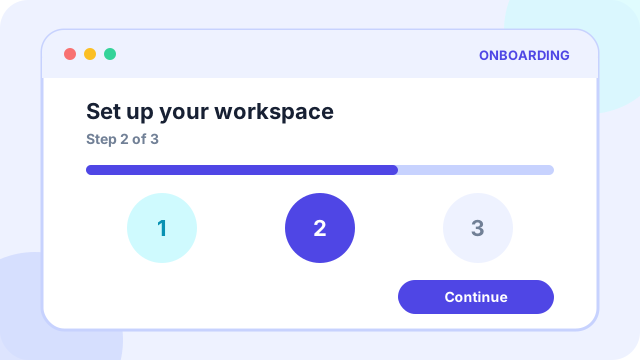
Guided onboarding is a first-run experience that helps a new user understand the product, complete essential setup, and reach a meaningful result quickly.
At a glance
What the pattern is designed to accomplish
Welcome flow, account setup, first-run tips, and completion cues.
Planning price
€900
A starting budget anchor before discovery and technical scoping.
Typical effort
3-5 days
The implementation range depends on states, data, and integrations.
Pattern family
Product foundation
Use the family to find adjacent patterns that support the same journey.
Use cases
When this pattern is a strong fit
Use the pattern when it removes a real decision or interaction burden, not simply because users recognize its visual form.
Best suited to
- Products that require account, profile, workspace, or permission setup
- Tools with an unfamiliar mental model or several possible starting points
- Experiences where an empty first screen would leave users unsure what to do
Anatomy
The essential parts of guided onboarding
The visual treatment can change, but these responsibilities need to remain clear.
Part 1
A short statement of value before asking for effort
Define this part explicitly in the design and test it with realistic content and states.
Part 2
Only the setup steps needed for the first successful outcome
Define this part explicitly in the design and test it with realistic content and states.
Part 3
Visible progress, clear skip controls, and a way to return later
Define this part explicitly in the design and test it with realistic content and states.
Part 4
A completion moment that leads directly into useful product activity
Define this part explicitly in the design and test it with realistic content and states.
Implementation
Design and delivery guidance
The pattern works when interaction rules, content, data, and edge cases support the same user goal.
Recommended approach
- Design backward from the first value moment rather than presenting a product tour.
- Ask for permissions and personal information in context, when their benefit is clear.
- Use realistic starter content, templates, or examples to prevent an empty-state dead end.
Common failure modes
- Long carousels that explain features without letting the user act
- Blocking exploration until every optional profile field is complete
- Celebrating completion before the user has received real value
Accessibility
Inclusive design requirements
Accessibility is part of the pattern's behavior and content model, not a visual pass added after implementation.
Minimum considerations
- Keep focus order aligned with the visual step order and announce step changes.
- Do not rely on animation, color, or coach-mark positioning as the only instruction.
- Provide skip, back, and resume controls that work with keyboard and screen readers.
History
How guided onboarding emerged and who popularized it
Interface patterns usually evolve through several technologies and products. The distinction below avoids assigning a single inventor where the evidence points to gradual adoption.
Origins
How the pattern came about
Software onboarding grew out of setup wizards, printed tutorials, and guided tours used by early personal-computing software. As products moved to the web and mobile, teams shortened these flows and focused more on activation: helping someone reach a useful outcome instead of explaining every feature.
Popular adoption
Who helped make it mainstream
Apple helped normalize friendly guided setup in consumer computing, while products such as Twitter, Dropbox, and Slack made progressive, task-based onboarding a standard growth practice. UX writers and researchers including Samuel Hulick later popularized systematic onboarding critique.
History and practice sources
Related patterns
Continue through the pattern library
Adjacent patterns often need to be designed as one journey rather than as isolated components.
Product foundation
Responsive app navigation
Product foundation
Reusable design system starter
Discovery and decision support