Product foundation · UX/UI pattern guide
Responsive app navigation
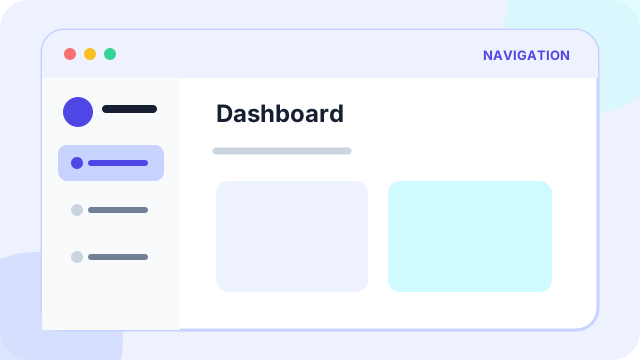
Responsive app navigation keeps destinations, orientation, and wayfinding understandable as screen size, input method, and information depth change.
At a glance
What the pattern is designed to accomplish
Mobile tabs, desktop sidebar/header, breadcrumbs, and active states.
Planning price
€750
A starting budget anchor before discovery and technical scoping.
Typical effort
2-4 days
The implementation range depends on states, data, and integrations.
Pattern family
Product foundation
Use the family to find adjacent patterns that support the same journey.
Use cases
When this pattern is a strong fit
Use the pattern when it removes a real decision or interaction burden, not simply because users recognize its visual form.
Best suited to
- Products used across phone, tablet, and desktop
- Apps with several primary areas or nested content
- Workflows where users need to know both where they are and where they can go
Anatomy
The essential parts of responsive app navigation
The visual treatment can change, but these responsibilities need to remain clear.
Part 1
A stable set of primary destinations
Define this part explicitly in the design and test it with realistic content and states.
Part 2
A visible current state and meaningful page title
Define this part explicitly in the design and test it with realistic content and states.
Part 3
Contextual secondary navigation such as tabs or breadcrumbs
Define this part explicitly in the design and test it with realistic content and states.
Part 4
A small-screen treatment that preserves priority instead of merely hiding links
Define this part explicitly in the design and test it with realistic content and states.
Implementation
Design and delivery guidance
The pattern works when interaction rules, content, data, and edge cases support the same user goal.
Recommended approach
- Keep labels and destination order consistent across breakpoints.
- Choose tabs, sidebars, headers, and breadcrumbs according to hierarchy, not fashion.
- Test long labels, localization, zoom, keyboard use, and touch targets early.
Common failure modes
- Hiding essential destinations behind an ambiguous icon
- Changing the information architecture between mobile and desktop
- Using breadcrumbs as a substitute for clear primary navigation
Accessibility
Inclusive design requirements
Accessibility is part of the pattern's behavior and content model, not a visual pass added after implementation.
Minimum considerations
- Use semantic navigation landmarks and identify the current page.
- Ensure menus can open, close, and return focus predictably from the keyboard.
- Keep touch targets large and do not make hover the only route to subnavigation.
History
How responsive app navigation emerged and who popularized it
Interface patterns usually evolve through several technologies and products. The distinction below avoids assigning a single inventor where the evidence points to gradual adoption.
Origins
How the pattern came about
Graphical navigation conventions developed through systems such as Xerox Star and the Apple Macintosh, which established menus, windows, icons, and persistent orientation cues. Web navigation initially copied document and desktop metaphors before adapting to increasingly varied screens.
Popular adoption
Who helped make it mainstream
Ethan Marcotte named and codified responsive web design in 2010. Frameworks such as Bootstrap then spread responsive navigation patterns widely, while Norm Cox's earlier three-line menu icon became associated with mobile navigation through smartphone apps.
History and practice sources
Related patterns
Continue through the pattern library
Adjacent patterns often need to be designed as one journey rather than as isolated components.
Product foundation
Guided onboarding
Product foundation
Reusable design system starter
Discovery and decision support