


July 3, 2026 · 12 min read
Motion for UX: Designing Time, Change, and Attention
A practical guide to using motion as interaction design: preserving continuity, confirming actions, directing attention, pacing information, and respecting reduced-motion preferences.
The premise
Motion is information distributed through time
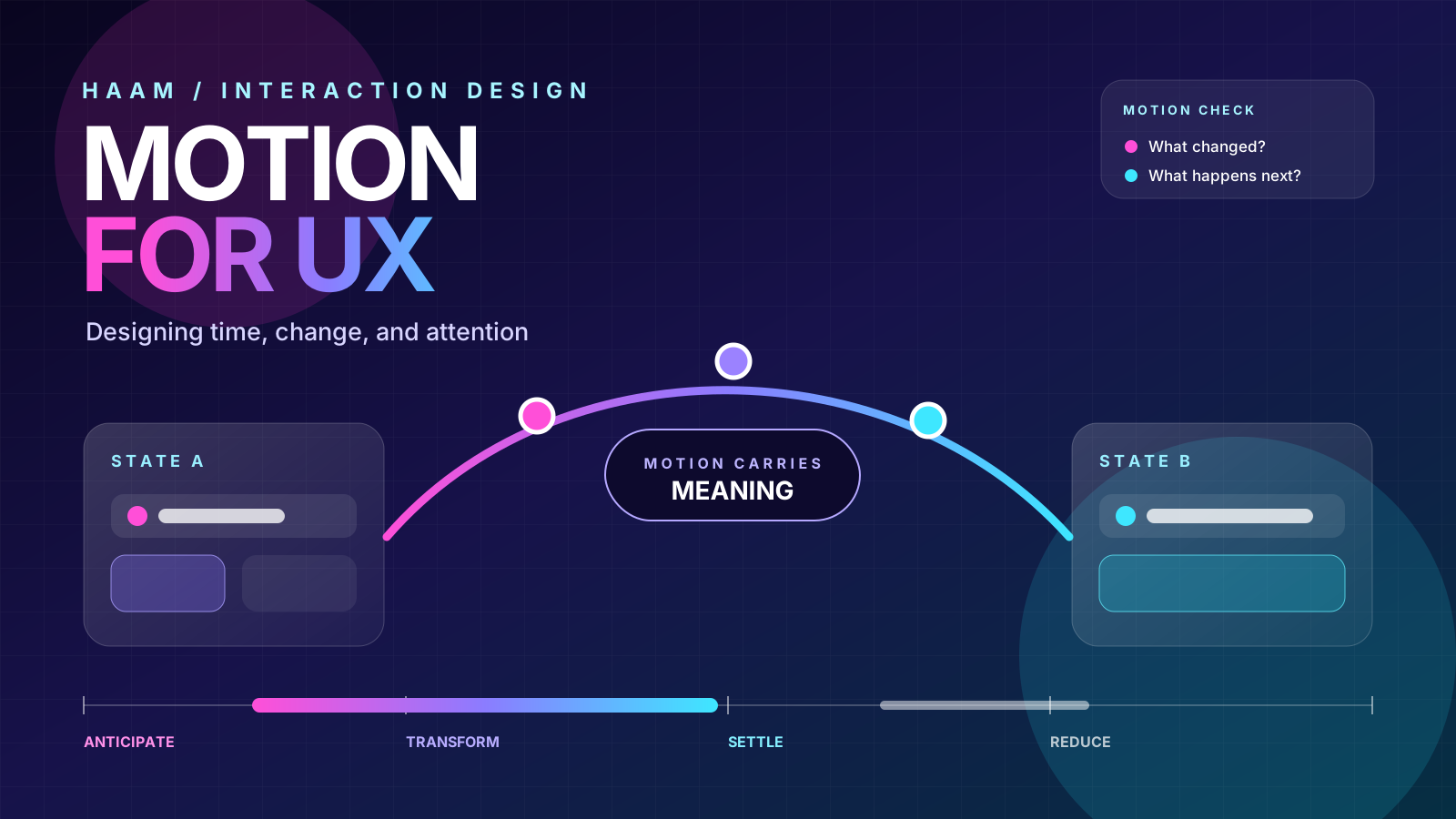
A useful motion decision answers a question. What changed? Where did it go? Did the action work? What matters now? What happens next?
Figma's Principles in motion frames motion as designing with time. Rhythm, pacing, transformation, easing, anticipation, overshoot, follow-through, holds, and settling are not merely animation vocabulary. They are ways of controlling when information appears, how strongly it is felt, and whether separate moments read as one coherent experience.
For UX, the standard is stricter than making something feel alive. Motion should improve orientation, causality, hierarchy, comprehension, or confidence. When it does none of those things, it is usually a tax on attention and time.
Interactive motion lab
Try the same interaction with different motion rules.
These demos move only after you act. The reduced version preserves the information while removing most spatial movement.
Continuity
Keep the object, change its place
The task remains visually identifiable while its status changes, so the interface does not feel like a jump cut.
Backlog
Making
Ready
Feedback
Make cause and effect visible
A small response confirms that the system received the action. The motion supports the message instead of replacing it.
Status: The change has not been saved yet.
Pacing
Reveal information in a useful order
Sequencing reduces competition for attention. Each beat gives the next one a reason to exist.
1. Establish context
Show where the person is and what they can act on.
2. Reveal the change
Move or transform the object that actually changed.
3. Settle on the next action
End with a stable state and a clear place to continue.
01
Where did it go?Preserve continuity
When an object changes state or location, motion can preserve its identity. A card expanding into a detail view, a task moving between columns, or an image becoming a full-screen preview should feel like the same object continuing its journey, not two unrelated screens replacing each other.
02
Did my action work?Make causality visible
A tap, drag, upload, save, or payment needs an observable response. The response can be tiny, but it should connect the person's action to the system's result. Motion is especially useful when the result is delayed, happens elsewhere, or changes several interface regions at once.
03
What matters now?Direct attention without stealing it
Motion creates temporary hierarchy. Use it to point toward the one thing that changed, became available, needs confirmation, or deserves the next decision. If five things animate together, motion stops creating hierarchy and becomes visual noise.
04
What happens next?Use pacing to make complexity digestible
Interfaces do not need to reveal everything in one frame. A short sequence can establish context, show the change, then settle on the next action. Timing can reduce cognitive competition when each beat carries a clear part of the explanation.
05
How should this change feel?Give motion believable weight
Good interface motion does not need to imitate physics literally, but it should feel internally consistent. Easing, acceleration, overshoot, and settling communicate weight and intention. Linear movement often feels mechanical because real objects rarely start, move, and stop at one constant speed.
06
Does the meaning survive without movement?Design the reduced version at the same time
Reduced motion is not a late-stage switch that deletes the experience. Preserve state, hierarchy, and feedback with opacity, color, text, icons, instant layout changes, or shorter transitions. The information must survive even when spatial movement does not.
Motion jobs
Give every animation a job description
Before choosing a duration or easing curve, name the interaction problem. A motion specification should be reviewable in product language, not only visual language.
Orientation
Show how a drawer, modal, detail panel, or new page relates to the previous state.
Feedback
Confirm a press, save, upload, copy, validation result, or completed step.
State change
Make sorting, filtering, expanding, collapsing, selecting, and reordering legible.
Progress
Communicate that work is continuing, what stage it has reached, and whether the person can safely leave.
Relationship
Connect a source object with its destination, parent, child, or transformed state.
Character
Express personality after clarity, accessibility, and responsiveness are already secure.
Timing
Start with a small timing system, then tune by context
Duration should reflect distance, complexity, platform conventions, input method, and how much attention the transition needs. The ranges below are HAAM starting points, not universal laws. Test them on real devices and with real content.
Fast does not automatically mean responsive. An instant layout jump can be harder to understand than a short transition. Slow does not automatically mean elegant. A transition that blocks the next action is still latency, even when it looks polished.
Accessibility
Reduced motion must preserve the interaction model
MDN documents prefers-reduced-motionas the browser-facing signal for a person's device-level preference to remove, reduce, or replace non-essential movement. W3C's guidance on animation from interactions says non-essential motion triggered by interaction should be disable-able unless it is essential to the information or functionality.
Large scaling, panning, parallax, and unexpected spatial movement can trigger discomfort for people with vestibular disorders. The responsible pattern is not to abandon motion completely. It is to separate essential state communication from optional spatial spectacle.
/* Start with the essential state change. */
.motion-card {
  transition: transform 240ms cubic-bezier(.2, .8, .2, 1),
              opacity 180ms ease-out;
}

/* Preserve meaning while removing most spatial movement. */
@media (prefers-reduced-motion: reduce) {
  .motion-card {
    transition: opacity 120ms linear;
    transform: none;
  }
}
Preserve
Confirmation text, status icons, color changes, focus movement, content order, progress labels, and stable destination states.
Reduce or remove
Large zooms, parallax, rapid repeated movement, decorative loops, exaggerated overshoot, and movement unrelated to the person's goal.
Restraint
Do not animate what does not need a temporal explanation
Some changes are clearer when they are immediate. A destructive error, an urgent security warning, a text correction, or a simple color-state change may not benefit from spatial movement. Motion also becomes counterproductive when it delays expert workflows, repeats on every visit, causes layout instability, or competes with reading.
Ask the brutal question: if this animation disappeared, would the person understand less? If the answer is no, the animation is decoration. That can still be valid for brand expression or delight, but it should be treated as optional, lightweight, and easy to reduce.
Workflow
Review motion as a product system
Name the interaction problem before designing the transition.
Storyboard the start state, change, and settled end state.
Define duration, easing, delay, interruption, and reversal behavior.
Test keyboard, touch, pointer, and assistive-technology paths.
Test on slower devices and under real network latency.
Create a reduced-motion equivalent during the first implementation.
Check whether the next action is blocked while motion finishes.
Add reusable motion tokens only after patterns repeat for a reason.
Sources and further reading
Platform guidance and motion craft
A June 2026 conversation on designing with time, rhythm, pacing, easing, anticipation, overshoot, follow-through, holds, and settling.
Google's platform guidance for expressive, spatial, and purposeful interface motion.
Platform guidance on using motion to communicate status, feedback, navigation, and spatial relationships.
Implementation guidance for detecting and honoring a person's device-level motion preference.
Accessibility guidance for disabling non-essential motion triggered by interaction.